Claim status questions are one of the most common service interactions in insurance. A policyholder reports a loss, submits information, and then waits for progress. When the next step is unclear, the easiest option is often to call.
For insurers and MGAs, those calls are not just contact center volume. They are a signal that the digital claims experience has not created enough confidence. A portal may exist, but if it does not answer the questions policyholders actually have after FNOL, it will not meaningfully reduce inbound calls.
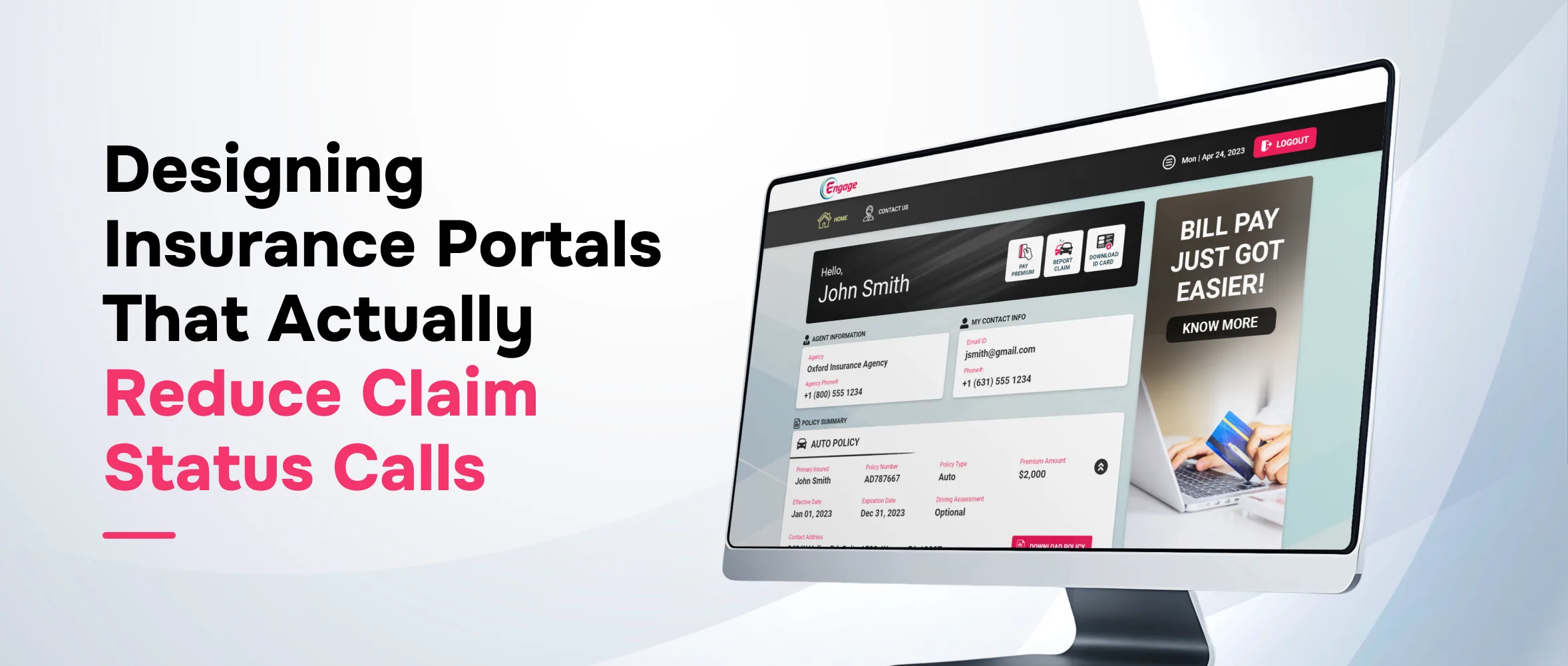
A strong insurance claim status portal is not simply a place to display a claim number. It should help policyholders understand where the claim stands, what has already happened, what is needed from them, what happens next, and when human support is appropriate.
That design discipline turns a portal from a static login page into an operational tool for call deflection, claims transparency, and a better policyholder experience.
Why claim status calls happen even when a portal exists
Many insurers already offer digital portals, mobile apps, email notifications, or claim lookup pages. Yet claim status calls can remain high because the portal experience does not match the policyholder’s real questions.
After FNOL, most policyholders are not looking for technical claim details. They want simple answers:
- Was my claim received?
- Has anyone reviewed it?
- Do I need to upload anything else?
- Who is handling the claim?
- What happens next?
- When should I expect another update?
- Is there a delay or missing information?
- When should I call someone?
If the portal cannot answer those questions clearly, the policyholder will use the channel that feels more reliable: the phone.
The portal design shift: from transaction access to claims reassurance
Insurance portals are often designed around transactions: view policy, download ID card, make payment, submit claim, and upload documents. These functions matter, but claim status communication requires a different design lens.
A policyholder checking claim status is often looking for reassurance. They may be dealing with vehicle damage, property loss, repair uncertainty, medical bills, rental needs, or liability questions. The portal experience should reduce confusion, not just display system data.
That means the portal should translate back-end claim activity into policyholder-friendly milestones. It should show progress without exposing internal complexity. It should make the next steps clear without requiring the policyholder to understand claim operations.
1. A clear claim timeline
A timeline helps policyholders understand where their claim stands without calling for basic updates. Instead of vague statuses like “open” or “pending,” the portal should show meaningful stages such as claim submitted, review in progress, documents requested, inspection scheduled, payment pending, and claim closed.
2. Plain-language status labels
The portal should translate internal claim activity into customer-friendly language. Statuses like “additional information needed,” “estimate under review,” or “payment issued” are easier for policyholders to understand.
3. Next-best-action guidance
Status visibility is more useful when policyholders also know what to do next. The portal should clearly show whether they need to upload photos, review a document request, schedule an inspection, confirm contact details, or wait for adjuster review.
4. Document and photo request visibility
Open document or photo requests should be specific and easy to complete. The portal should explain what is needed, why it is needed, how to upload it securely, and confirm when the upload has been received.
5. Proactive update notifications
Email, SMS, push alerts, and in-portal messages can reduce repeat logins and status-check calls. These notifications should focus on meaningful milestones such as claim received, adjuster assigned, inspection scheduled, payment issued, or claim closed.
6. Adjuster and contact visibility
A good portal should make human support easy to find when it is needed. Showing the assigned adjuster, support hours, preferred contact method, and escalation options helps policyholders know when to self-serve and when to reach out.
7. A smart escalation path
The goal is not to eliminate every call. It is to reduce avoidable status calls while routing complex, urgent, or emotional claims to the right support team.
Portal features that directly support call reduction
| Portal design element | What it helps answer | Call reduction impact |
| Claim timeline | Where is my claim in the process? | Reduces basic status-check calls |
| Next action panel | Do I need to do anything? | Reduces uncertainty and repeat follow-ups |
| Document request tracker | What is missing? | Reduces calls about requirements and uploads |
| Update notifications | Has anything changed? | Reduces repeated portal checks and inbound calls |
| Payment or resolution status | Has payment been issued? | Reduces settlement and disbursement inquiries |
| Contact and escalation rules | Who should I reach out to? | Routes necessary support more efficiently |
How insurers should measure whether the portal is working
A claims portal should be measured as more than a digital adoption initiative. It should be tied to operational outcomes.
Useful metrics include:
- Claim status call volume before and after portal improvements
- Percentage of claimants who log in after FNOL
- Portal views by claim milestone
- Document upload completion rates
- Repeat calls per claim
- Average time between status update and inbound contact
- Escalation rate from portal to phone or chat
- Policyholder satisfaction after claim interactions
These metrics help claims, CX, and digital teams understand whether the portal is reducing avoidable contact or simply adding another channel.
Common portal design mistakes that keep call volume high
Mistake 1: Showing status without context
A status label without explanation may not reduce uncertainty. “Pending” does not tell a policyholder what is pending, who is responsible, or when the next update is expected.
Mistake 2: Treating all claims the same
Auto, property, casualty, and specialty claims may require different milestones, documents, and communication patterns. A useful portal should be configurable enough to reflect the journey policyholders are actually on.
Mistake 3: Making the portal separate from other channels
If the mobile app, web portal, chatbot, email notifications, and service team all show different information, policyholders lose trust in self-service. Consistency across channels matters.
Mistake 4: Hiding contact options
When contact options are difficult to find, policyholders may become frustrated and call through general service lines. Clear escalation design helps reduce misrouted calls and improves the quality of conversations that do happen.
Where Xemplar Engage fits
At Xemplar Engage, we help insurers and MGAs create connected digital experiences that make policy, claims, billing, and communication easier for policyholders to manage.
Our platform supports configurable mobile apps, insured web portals, and AI-powered chatbot experiences that can connect with insurance back-end systems and support self-service across the policyholder lifecycle. For claims, that means insurers can give policyholders easier access to claim information, updates, document actions, and next steps without forcing every question into the call center.
We do not view portals as a standalone front-end project. We see them as part of a broader engagement layer that helps insurers improve customer experience, reduce operational friction, and move faster without rebuilding every core system from the ground up.
For claim status communication, that approach matters. The right experience layer can help insurers surface the information policyholders need, guide them toward the next action, and reserve human support for the claims conversations that truly require it.
Practical takeaway
Claim status calls are not only a service volume issue. They are often a visibility issue.
When policyholders cannot easily understand what is happening after FNOL, they call. When the portal provides a clear timeline, plain-language updates, document visibility, proactive notifications, and smart escalation paths, many of those calls become unnecessary.
The best insurance portals do more than provide access. They create confidence. For insurers and MGAs, that confidence can translate into lower call volume, better claims communication, stronger policyholder satisfaction, and more efficient claims operations.
Frequently Asked Questions
- What is an insurance claim status portal?
An insurance claim status portal is a digital self-service experience where policyholders can view claim progress, see required actions, upload documents, receive updates, and understand next steps after a claim is submitted.
- How can an insurance portal reduce claim status calls?
A portal can reduce claim status calls by giving policyholders clear milestone updates, plain-language explanations, document request visibility, proactive alerts, and easy guidance on what to do next.
- Should claim status updates be available on both web and mobile?
Yes. Many policyholders expect to check claim progress from either a desktop portal or a mobile app. Consistent information across channels helps reduce confusion and unnecessary inbound contact.
- Can a portal replace claims representatives?
No. A portal should not replace claims representatives. It should reduce avoidable status calls and help route complex, urgent, or sensitive claims conversations to the right human support.
- What information should policyholders see after FNOL?
After FNOL, policyholders should be able to see claim confirmation, current status, assigned contact information, requested documents, key milestones, next actions, and expected timing for future updates.
- How should insurers measure claim status call reduction?
Insurers can measure call reduction by tracking claim-related call volume, repeat calls per claim, portal logins, document upload completion, escalation rates, and customer satisfaction before and after portal improvements.